Text to scientific figure

Turn a structured description into a scientific figure

Write what should appear, how the parts relate, and how the reader should move through the image. Generate a draft without uploading a reference image.

Try a structured text-to-figure prompt

Use a prompt chip to fill the generator, then replace its scientific content and layout instructions with your own.

0/2000

Generation needs an account — compose your prompt, then sign in to generate.

Multiple AI models

GPT Image 2, Nano Banana, Seedream 5, Flux 2 Pro and more — pick the right one per figure.

Up to 4K export

Render at 1K, 2K or 4K for print-ready manuscript output.

Text & sketch to figure

Start from a prompt, or refine a rough hand-drawn sketch.

Free to start

Free account in seconds — every figure is saved to your private history.

Text to scientific figure

Ideas that work well from text

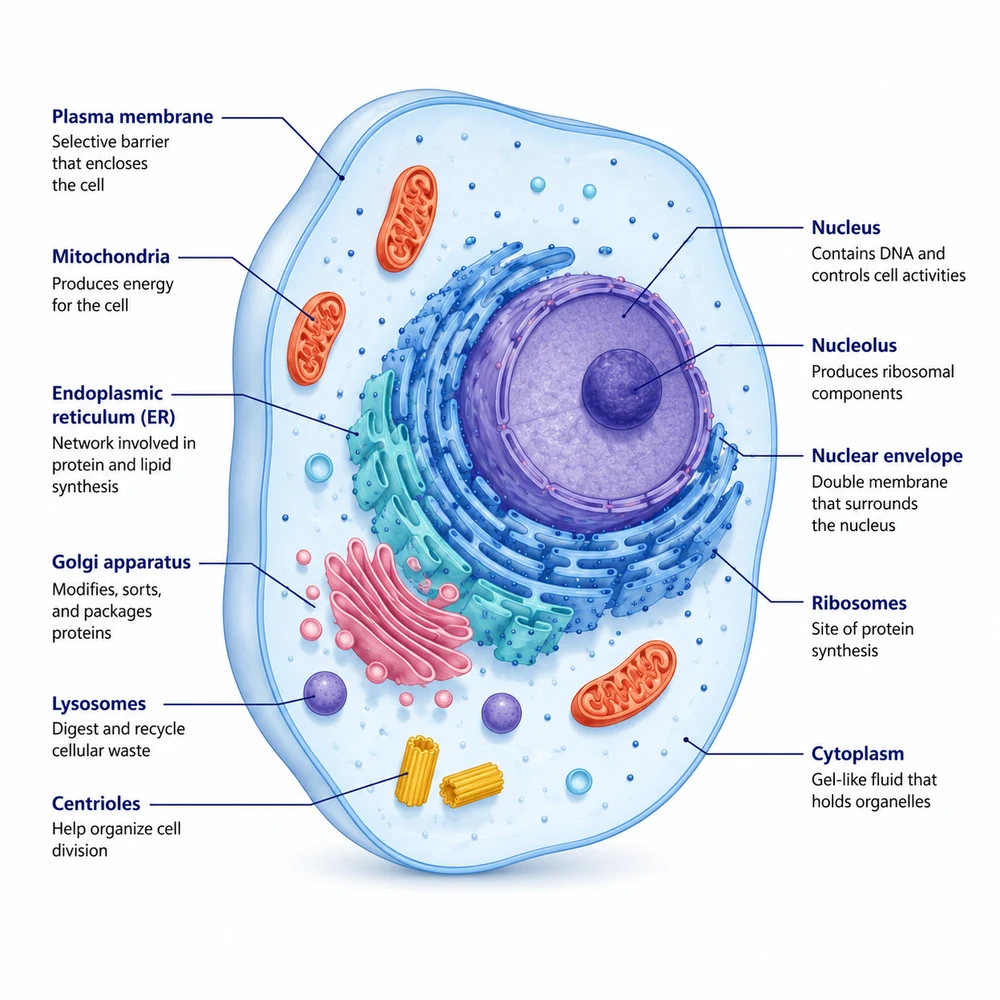
These generated examples show visual categories, not scientifically validated outputs. The written specification remains the source for review.

Text-to-figure workflow

Write a compact visual specification

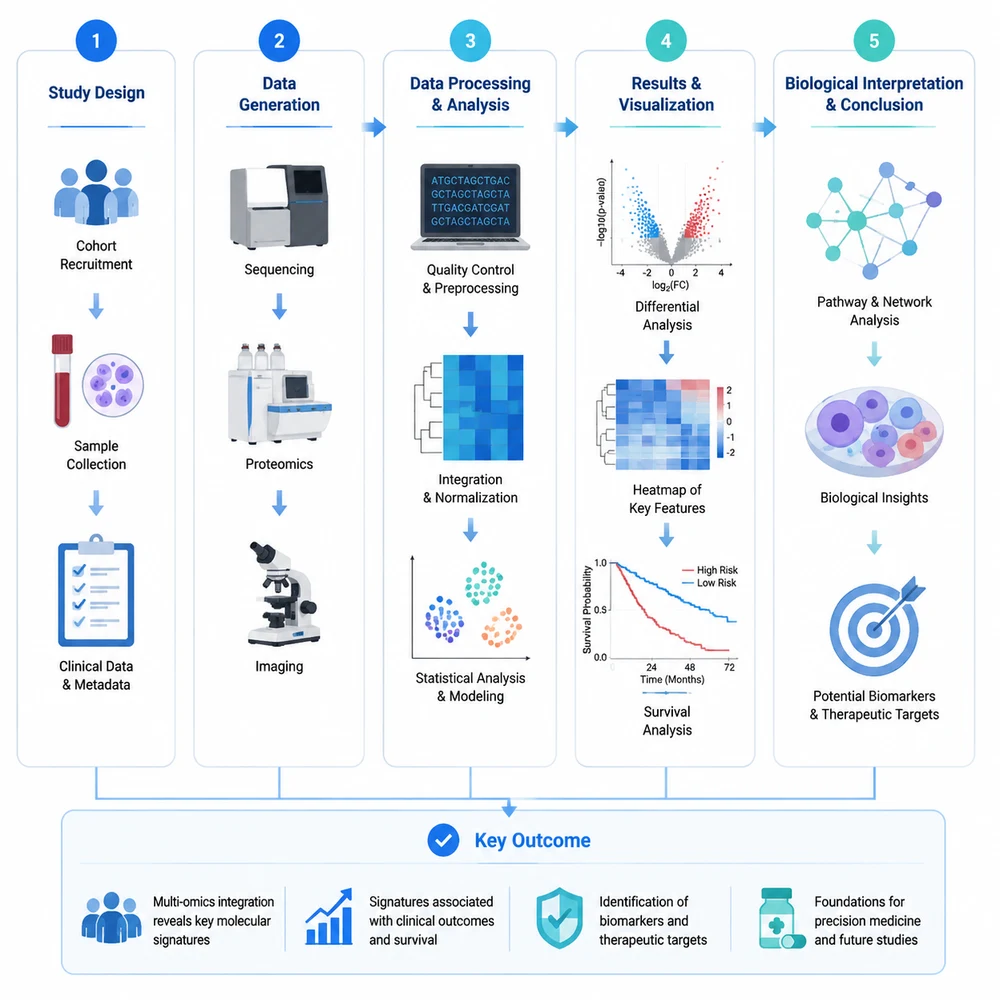
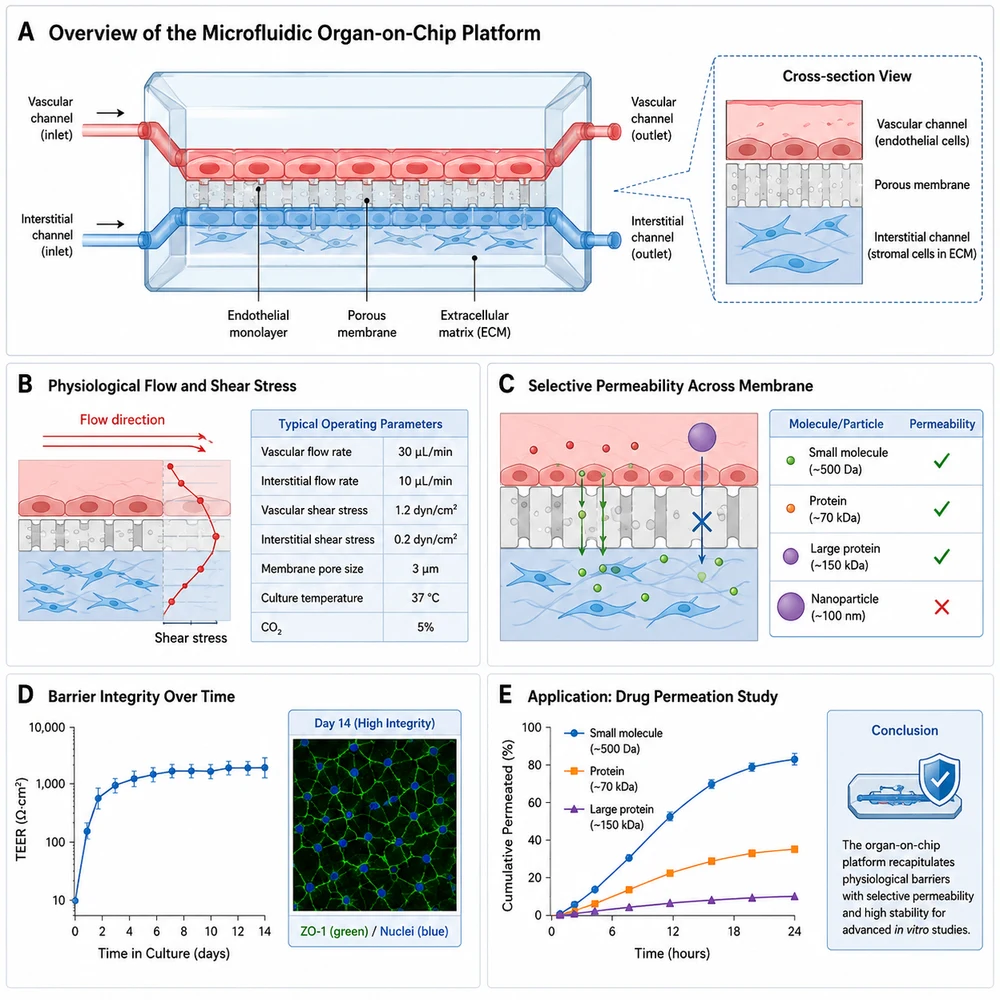
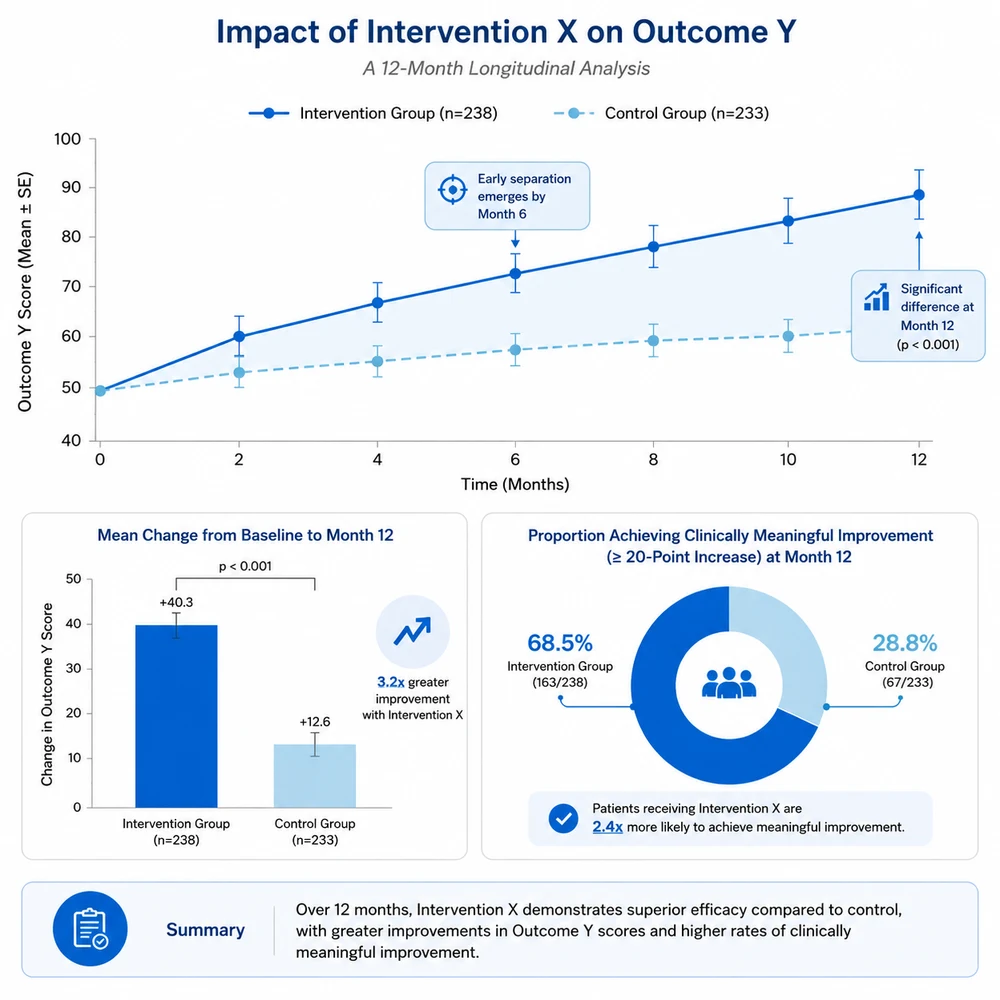
AI-generated data analysis figure with chart and annotations1

Structure the prompt in layers

Start with the figure purpose, then list required entities and relationships, reading direction, labels, grouping, style, background, and aspect ratio. Keep the scientific vocabulary controlled.

  • Purpose: mechanism, workflow, structure, or concept
  • Content: entities, actions, compartments, and outcome
  • Layout: sequence, branches, panels, and hierarchy
  • Constraints: labels, colors, background, and exclusions
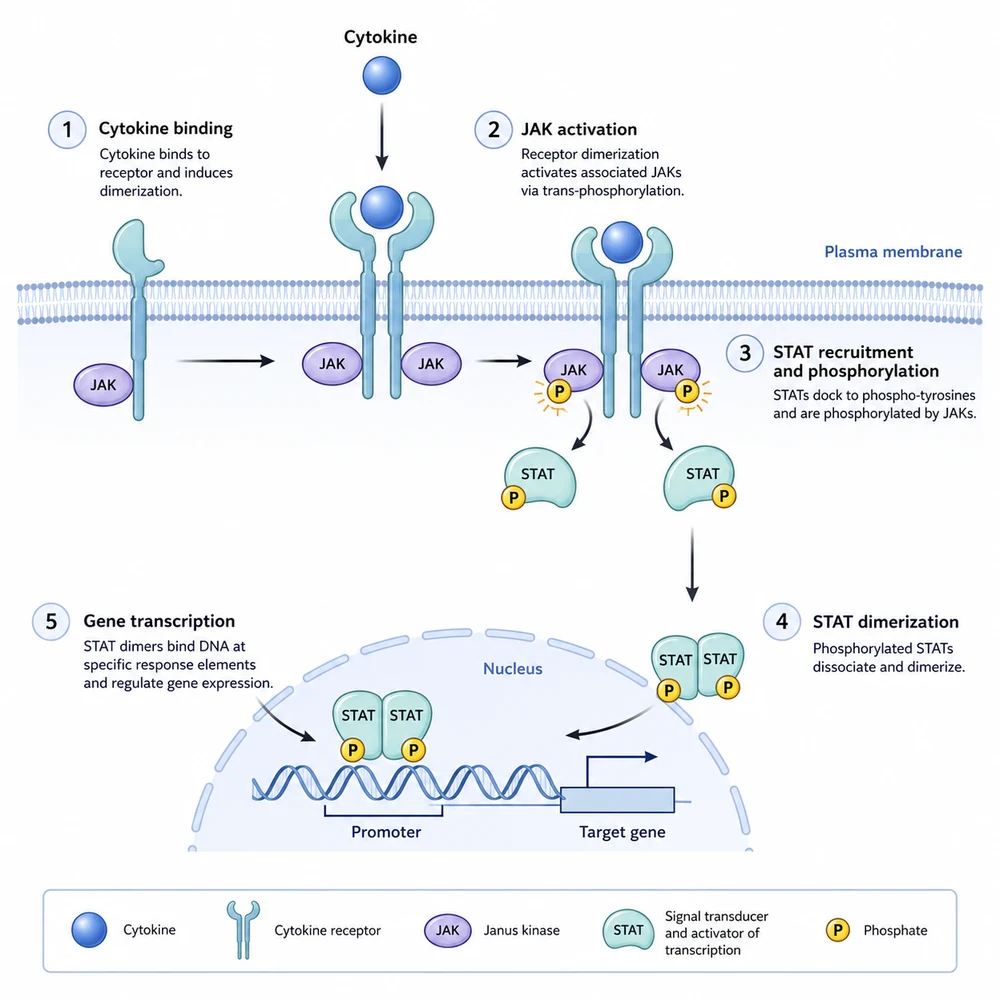
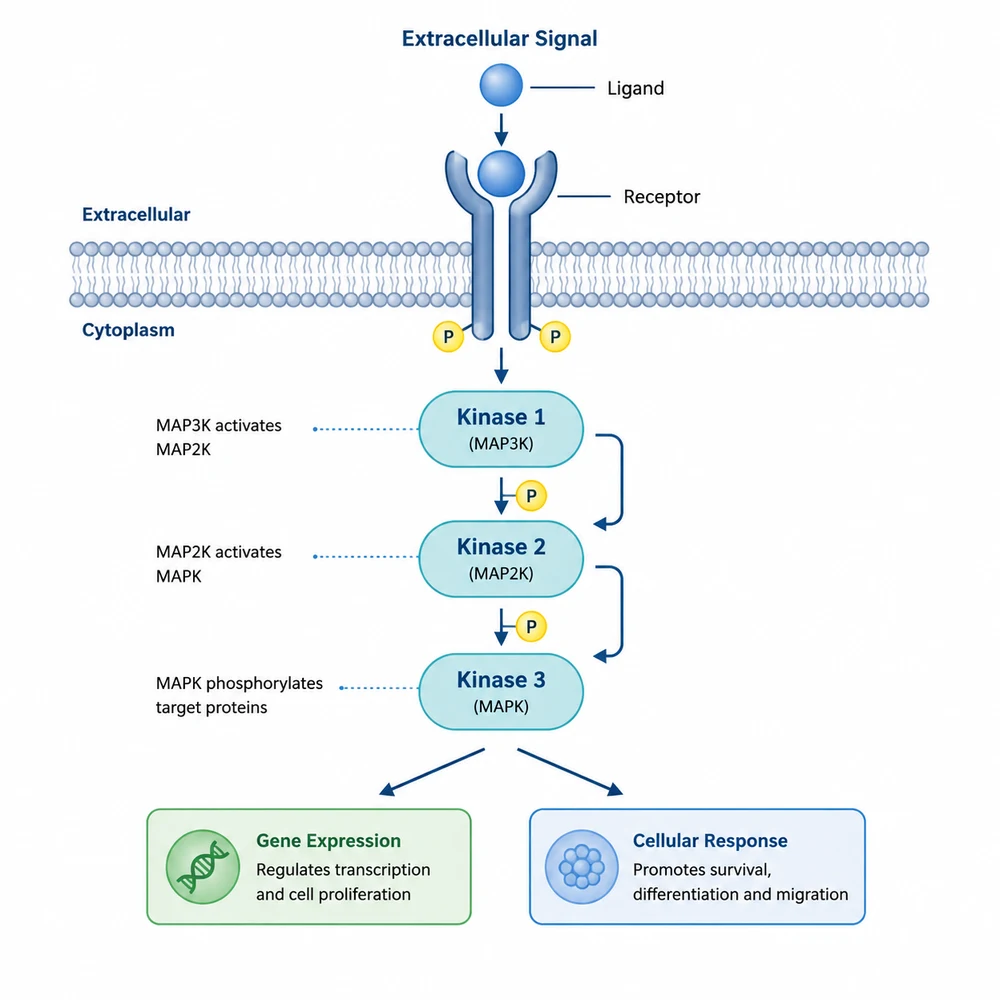
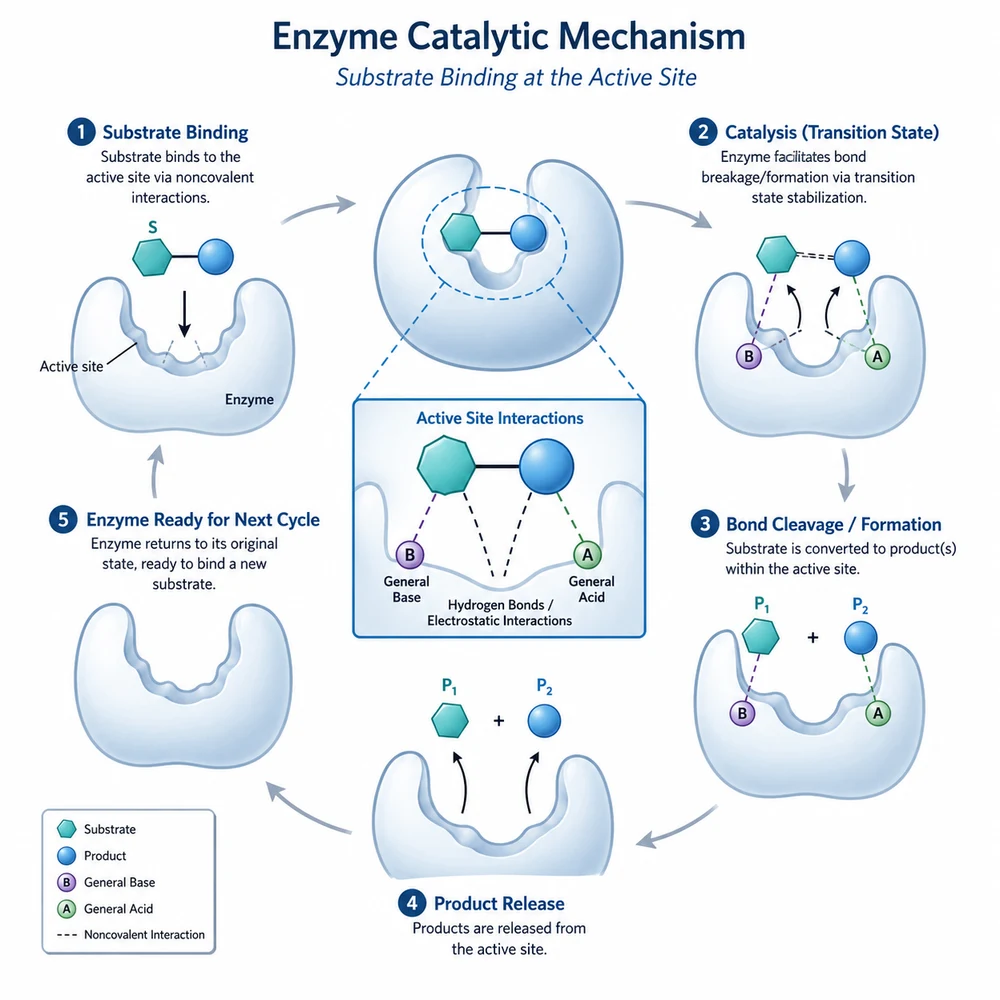
AI-generated molecular mechanism schematic2

Change one variable per iteration

When a result misses the goal, identify whether the problem is content, layout, style, or labeling. Revise that part of the prompt rather than making every instruction longer at once.

  • Check every label and scientific term
  • Verify arrows, structures, and causal relationships
  • Compare the draft with the source data or manuscript
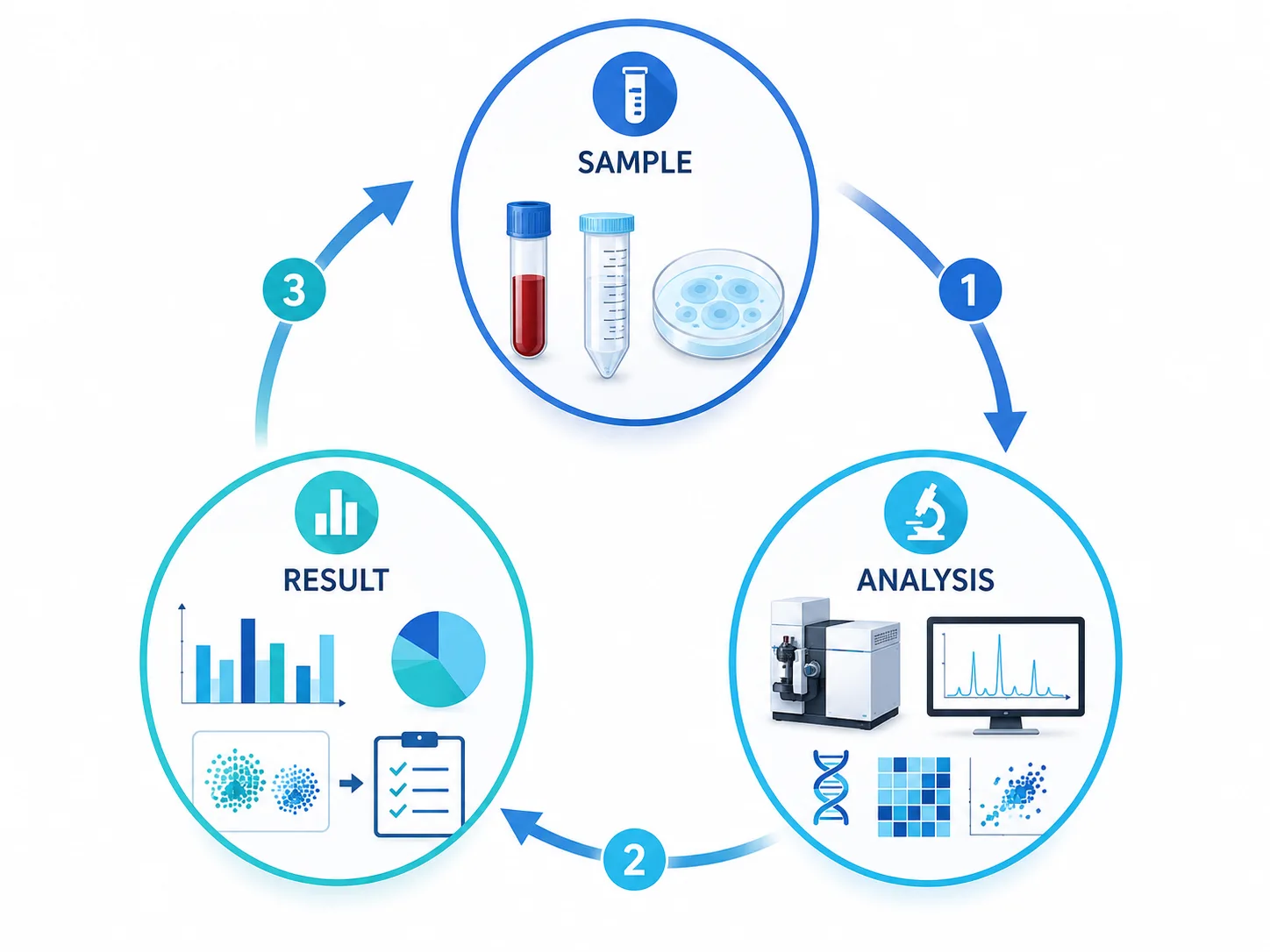
AI-generated study workflow figure from method to result3

Compare the image with the written specification

Use the prompt as a checklist. Confirm every required element, remove invented content, correct relationships and text, and add precise annotations in an editing tool when needed.

  • Confirm dimensions, file format, and resolution
  • Review the target venue's AI-use policy
  • Complete a final expert review before use

Text instructions do not guarantee factual output

Even a detailed prompt can produce incorrect labels, structures, directions, or quantities. A researcher must compare the image with source evidence and correct every discrepancy.

Text to scientific figure questions

Describe your figure in text

Write the entities, relationships, and layout, then review the generated draft.